
Corporate CLA: Your Guide to Joining the openUBMC Community
If your company plans to contribute to the openUBMC community, signing a Contributor License Agreement (CLA) is a must.
1. Why Does Your Company Need to Sign a CLA?
A CLA is essential for any open source project. When developers contribute code, the CLA ensures the project maintainers have the necessary legal rights.
- Ownership and Rights: The CLA declares that the contributor owns the content (or has the proper authorization to contribute it).
- Redistribution: It allows the project to re-distribute the contribution under the project's existing license.
- Copyright & Patent: The contributor retains their copyright. If the contribution includes patents, the CLA grants the project a license to use those patents.
2. Signing the Corporate CLA
2.1 Accessing the Signing Page
- Go to the official CLA signing page.
- Click Sign Corporate CLA.

2.2 Completing the Online Form
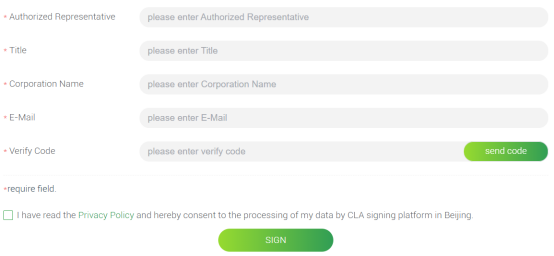
- Fill in the required information.
- Enter your corporate email address.
- Click to get the verification code. The code will be sent to your corporate email.
- Enter the code and click SIGN.
Note: Use a stable corporate email for signing. This email cannot be changed later.
2.3 Printing, Stamping, and Signing the Document
- A follow-up email will arrive with a PDF attachment. This PDF contains the CLA you just signed online.
- Print the PDF document.
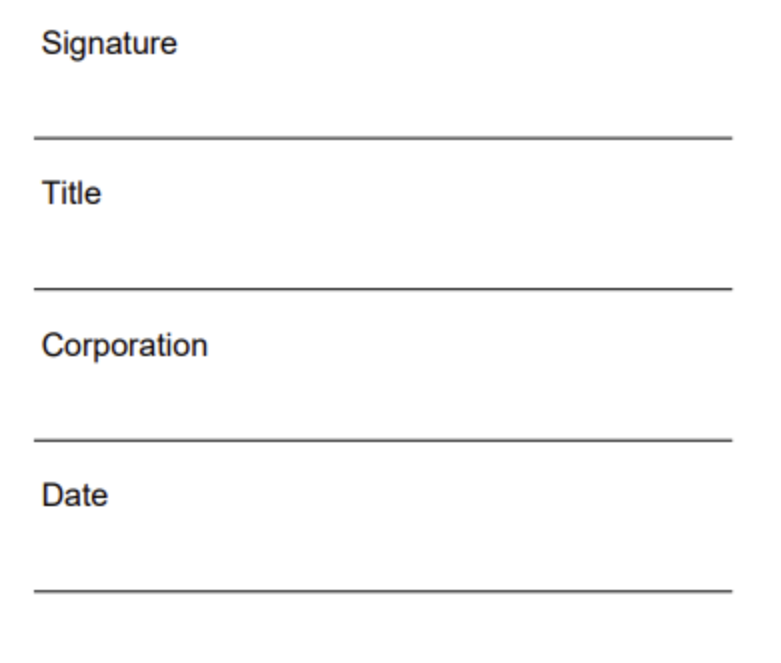
- Have an authorized representative sign and date it.
- Affix your official company stamp to the document.
2.4 Submitting the Final CLA
- Scan the signed and stamped document into a single PDF file.
- Reply to the email you received in section 2.2, attaching the scanned CLA PDF.
2.5 Notification to Administrators
The openUBMC CLA system administrators will check the submitted PDF.
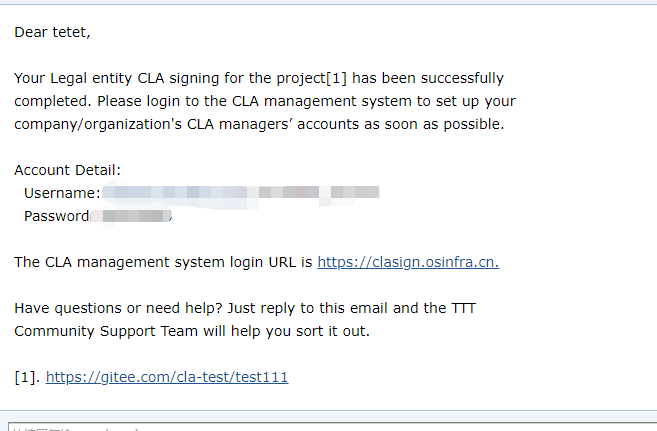
Upon successful verification, the email used for signing will receive a confirmation.
This confirmation email includes the username and initial password for the super administrator account of your corporate Employee CLA management system.
3. Managing Employee Contributions (CLA System Usage)
Once the Corporate CLA is signed, the management system controls which employees can contribute.
3.1 Logging In
Go to the CLA system login page.
Click Corporation Manager.

Use the provided super administrator credentials to log in.

3.2 Super Administrator Tasks
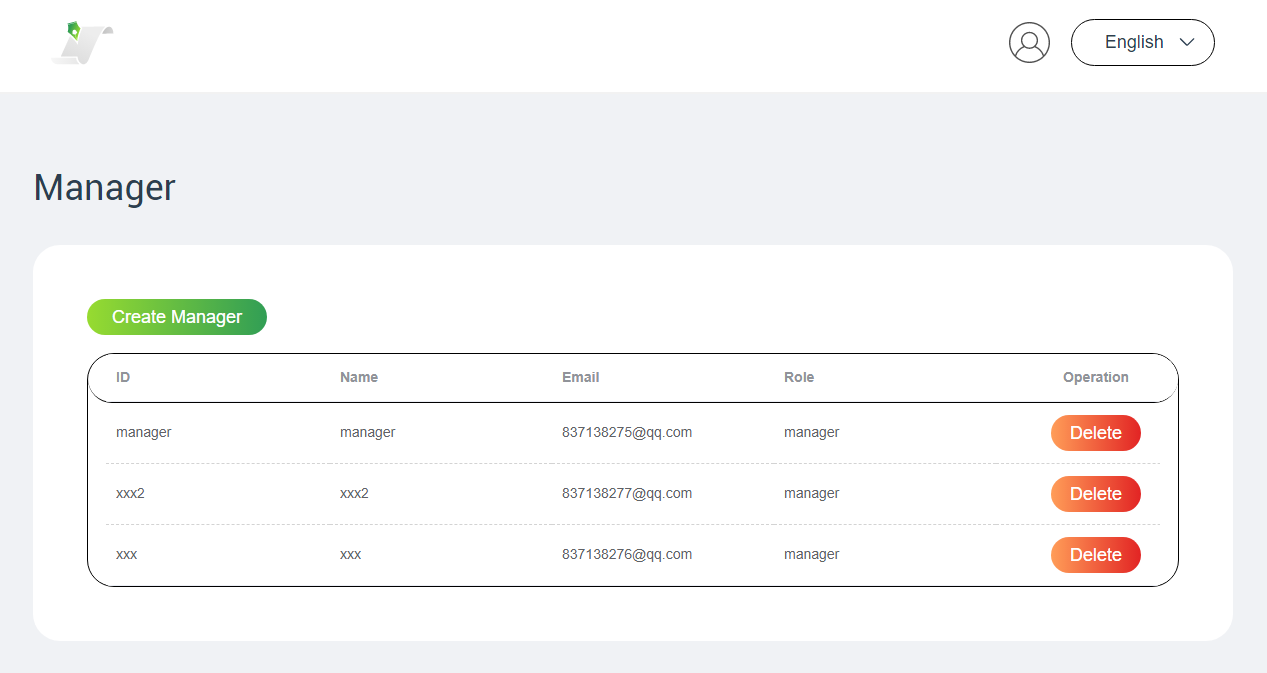
The super administrator's primary job is to manage system administrators.
- Log in and immediately change the initial password.
- Create or delete system administrators. When a system administrator is created, it receives a notification email.
Super administrator vs. System administrator:
The super administrator manages system administrator accounts. System administrators perform the day-to-day management of employee contributions. The two roles must use separate accounts.
3.3 System Administrator Tasks
System administrators manage the Employee CLAs:
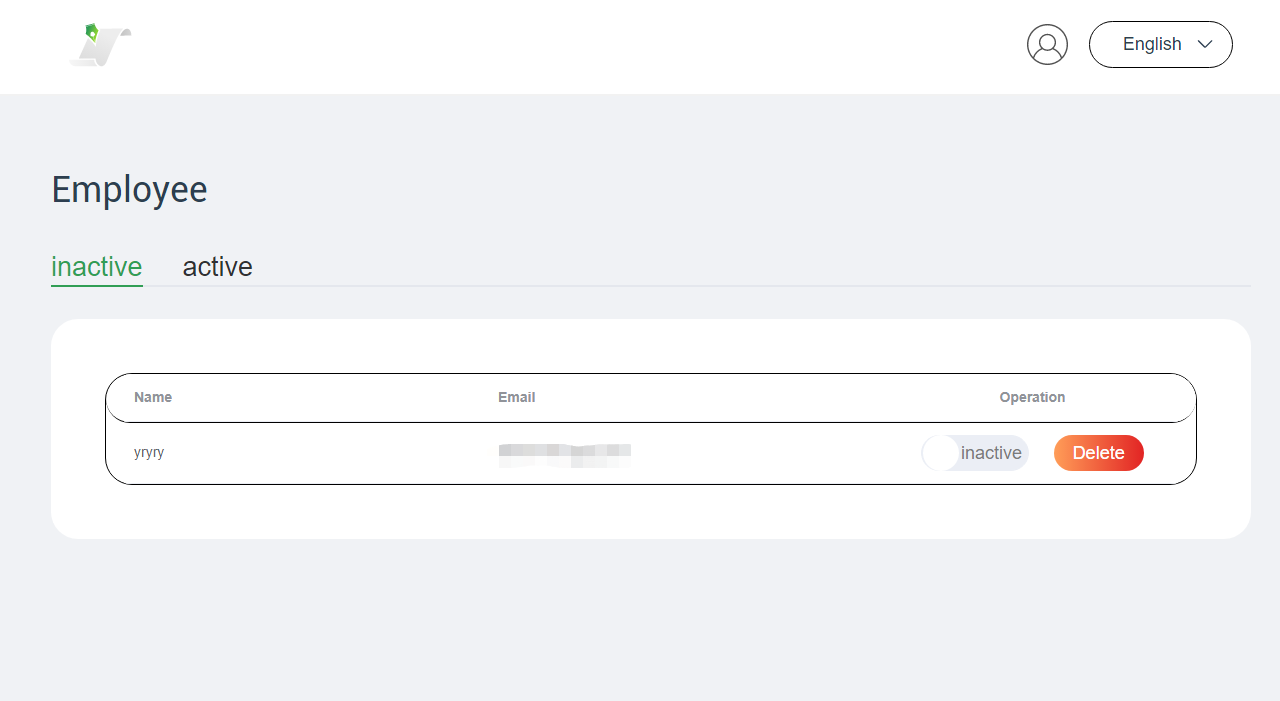
- Upon logging in, the system administrator sees a list of employees who have signed the Employee CLA but are not yet activated.
- The system administrator can activate an employee's contribution rights or delete their request.
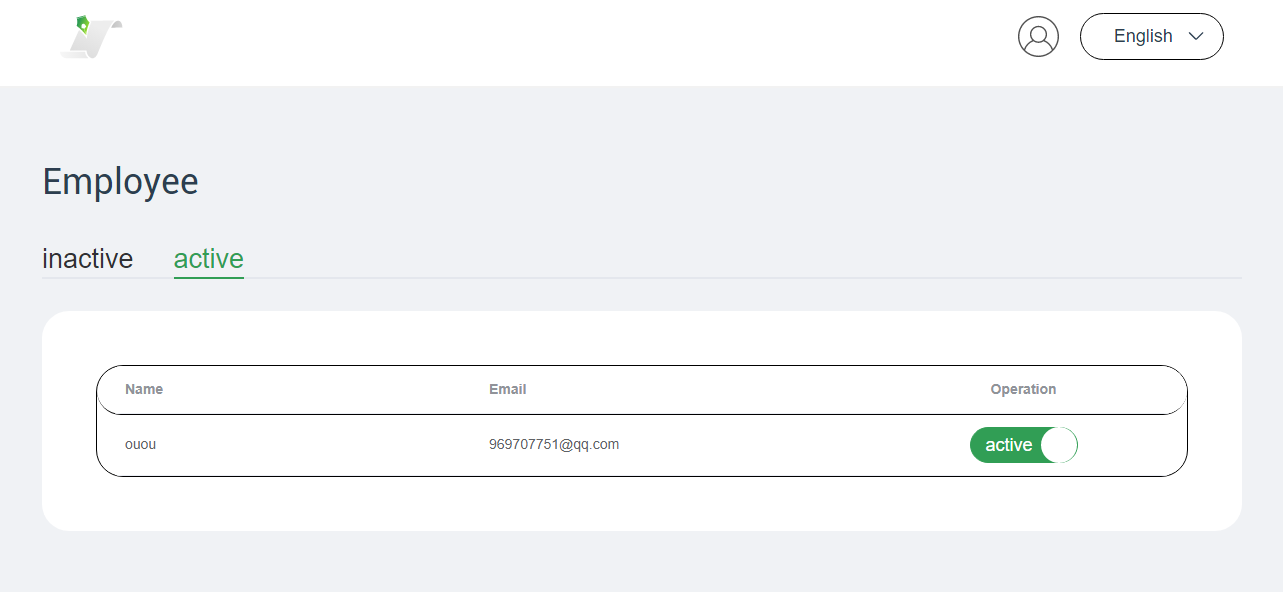
- The system administrator can also view the activated employee list and change an employee's status to inactive if needed.
4. Signing the Employee CLA
After the company signs the Corporate CLA, employees must sign the Employee CLA before making their first contribution.
4.1 Accessing the Employee CLA
- Go to the employee signing page.
- Click Corporate Contributor Registration.

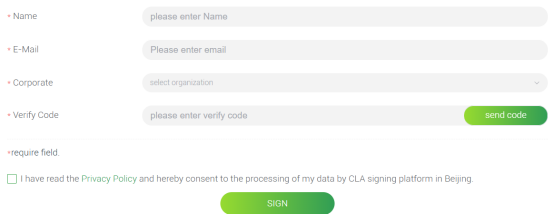
4.2 Completing the Online Form
Employees must use their corporate email to sign.
- Fill in the form and get the verification code via email.
- Submit the form to complete the signing.
4.3 Notification to Administrators
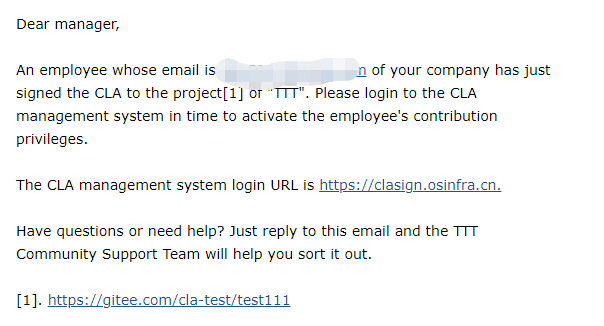
The CLA system automatically notifies the company's system administrators.
The system administrators then review and activate the employee's contribution rights (see section 3.3).
5.FAQs
- Who Should Sign the Corporate CLA?
An authorized representative of the company. It does not need to be the legal representative.
- Which Email Can Be Used?
Only stable corporate domain emails (for example, name@yourcompany.com) are accepted for the Corporate CLA. Generic personal emails (for example, Gmail and QQ) are not allowed for corporate signing.
- Does the openUBMC Community Commit to an SLA?
No. All issue and CVE resolution is done by community contributors. Since there is no commercial commitment, the openUBMC community does not commit to an SLA for issue resolution.
If you face any signing difficulties, please contact us:
- WeChat: openUBMC123
- Email: cla@public.openUBMC.org
Ready to contribute? Sign the CLA and join the openUBMC community!
【版权声明】Copyright © 2026 openUBMC Community。本文由openUBMC社区首发,欢迎遵照CC-BY-SA 4.0协议规定转载。转载时敬请在正文注明并保留原文链接和作者信息。
【免责声明】本文仅代表作者本人观点,与本网站无关。本网站对文中陈述、观点判断保持中立,不对所包含内容的准确性、可靠性或完整性提供任何明示或暗示的保证。本文仅供读者参考,由此产生的所有法律责任均由读者本人承担。